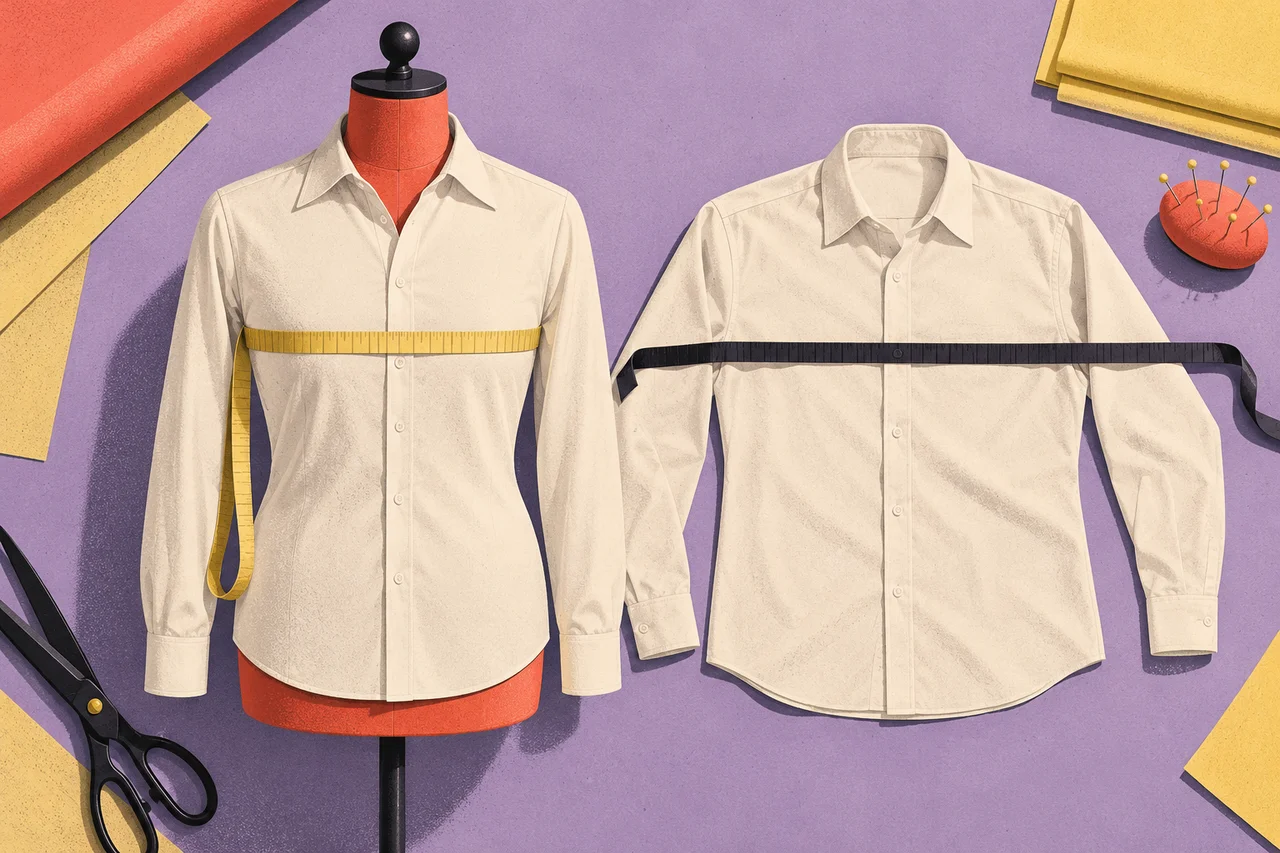
A size chart can be full of numbers and still leave a shopper guessing. The missing information is often what those numbers describe. A chest measurement taken around a person is different from the width of a shirt laid flat. A letter size does not explain either one.
A useful size guide lets the buyer identify the measurement they have, take it in the intended way and compare it with the right information for the product. The guide also explains the intended fit without pretending that a single number predicts everyone’s experience.
This is a content problem as much as a table-layout problem. Before redesigning the chart, establish exactly what each column means.
Label what is being measured
There are two distinct kinds of information a clothing seller might provide. A body measurement chart describes the wearer a size is intended to fit. A garment measurement chart describes the finished item itself. Either can be useful, but their labels and measurement instructions must stay separate.
For a concrete public example, Patagonia’s men’s size guide explicitly identifies its chart values as body measurements and directs readers to individual product pages for standard inseam variations. The useful lesson is the specificity of that labeling. It is not a universal sizing rule to apply to other brands.
Put “Body measurements” or “Garment measurements” in the table heading. A small footnote at the bottom is easy to miss when a buyer arrives directly at a size row. If both kinds of information are available, use clearly labeled sections and explain which comparison the shopper should make.
Avoid a bare column called “Chest” when it could mean a circumference, a flat width or a recommended body range. An accurate value with an ambiguous definition can still lead to an unsuitable choice.
A worked example: two charts for one fictional shirt
The following numbers are invented to illustrate presentation. They are not a recommended sizing standard or the measurements of a real product.
| Size | Intended body chest circumference | Finished garment chest circumference |
|---|---|---|
| Small | 96 cm | 104 cm |
| Medium | 100 cm | 108 cm |
| Large | 104 cm | 112 cm |
Someone with a body chest measurement of 100 cm should compare that figure with the body column. Someone measuring a shirt they already own should compare like-for-like garment measurements, using the seller’s stated method. The two activities answer related but different questions.
Do not tell a buyer to select a garment whose circumference exactly equals their body measurement unless that is genuinely how the product is designed to fit. Construction, intended shape, fabric and the way measurements were taken all affect interpretation. The product team should supply that guidance; the copywriter should not invent it.
If the site supports inches, convert the same underlying figures consistently. In this example, 100 cm is approximately 39.4 inches, while 108 cm is approximately 42.5 inches. Those rounded values describe the same measurements, not a second set of size recommendations. Keep the original precision available to whoever maintains the chart so successive edits do not introduce rounding drift.
Make the measuring instruction match the table
A diagram of a tape around a body belongs with body measurements. A diagram of a shirt laid flat belongs with garment measurements. Mixing the two gives the shopper a plausible-looking procedure for collecting the wrong number.
For each measurement, explain where it starts and ends, whether it is a full circumference or a flat width, and whether the item should be fastened or laid in a particular way. Use the brand’s actual measurement method. A generic diagram borrowed from another product family may describe a different point on the body or garment.
Keep the relevant instruction beside the chart or one clear action away. A shopper should not need to search the help center to learn what the table means. Baymard’s size-guide overview distinguishes a size chart from the wider measuring and conversion information that can make up a guide. That distinction is useful when deciding what a bare grid is missing.
Photographs can show intended proportions, but a model image does not replace measurements. If model details are included, connect them to the specific item and size shown. Do not reuse a model-size caption after swapping the image to a different product.
Explain fit at the product level
“True to size” leaves an unanswered question: true to which sizing system or to which previous purchase? A more useful note describes the intended shape or wearing situation in terms the product team can substantiate.
For our fictional shirt, an editorial example could read: “Designed with a relaxed body. Compare the garment chest measurement with a shirt whose fit you like.” That instruction is appropriate only if relaxed fit is the actual design and the comparison method is supported.
When different cuts share the same letter sizes, make the distinction visible before the shopper selects one. A general brand chart might help with the starting size while the product-specific garment measurements explain why two medium shirts feel different.
Give between-size advice only when the business has a defensible basis for it. A blanket “size up” instruction can be wrong for another product or a shopper with different priorities. If the right choice depends on which measurement is limiting, explain that choice or offer a knowledgeable assistance route.
Keep the guide usable while a size is being chosen
Put the size-guide link near the size selector, with a label that explains its destination. After the buyer closes the guide, preserve the product and option they were considering. Opening the chart should not silently reset the selected color or move the page away from the purchase area.
On a small screen, keep row and column meanings understandable. A horizontally scrolling table needs enough context that a reader can still identify the size beside a value. Avoid turning the whole guide into a small image that becomes illegible when enlarged.
If the guide asks the buyer to enter measurements, provide visible labels and clear units. W3C’s form-instruction guidance recommends explaining expected formats and relevant requirements. Applied here, “Chest circumference, in centimeters” is more informative than an unlabeled box containing “100” as placeholder text.
Review understanding before claiming an effect
Try the guide with someone who has a body measurement and someone who has a garment measurement. Ask each to explain which column they would use and why. Then give them a product whose fit differs from another item in the range. Their explanation will reveal whether the chart and fit note work together.
Record misunderstanding separately from a shopper simply falling between available sizes. Better presentation can clarify a mismatch without making the product suitable. That is still a useful outcome: the buyer has made a more informed decision.
If you evaluate a redesigned guide commercially, look beyond clicks on “Size guide.” Those clicks can reflect useful engagement or unresolved uncertainty. Pair purchase outcomes with the reasons for size-related support contacts and returns, allowing enough time for those outcomes to arrive. Do not promise a reduction before measuring one.
The wider product-page review asks whether buyers can establish fit. A well-written size guide answers that question with definitions, a matching measuring method and product-specific context that survives the move from chart to size selector.